APDU over NFC ISO-DEP
Send a command APDU from the POOM NFC CLI over ISO-DEP and interpret the response APDU and status words.
If the previous lab succeeded, POOM now has a prepared communication channel. We can finally ask:
"What can I ask this card to do?"
Lab 4.2 - APDU over ISO-DEP
We are no longer only detecting, identifying, and preparing the card. We are beginning to interact with an application inside it.
Goal
- send a
C-APDU; - receive an
R-APDU; - understand the difference between ISO-DEP and an APDU;
- interpret a real status response from the card.
What is an APDU?
APDU means:
Application Protocol Data UnitFor this lab, think of an APDU as a message POOM sends to ask the card to do something.
| Name | Meaning |
|---|---|
C-APDU | The command POOM sends. |
R-APDU | The response the card returns. |
It is simply a conversation:
POOM asks.

The card responds.
The example command
We will send this APDU:
00 A4 04 00 07 D2 76 00 00 85 01 01 00You do not need to interpret every byte yet. The important change is that we are no longer asking whether a card exists. We are saying:
"Card, process this command."
Where does ISO-DEP fit?
APDU and ISO-DEP are not the same thing:
| Part | Function |
|---|---|
| APDU | Contains the application command or response. |
| ISO-DEP | Transports that application data. |
| NFC | Provides the physical communication with the card. |
ISO/IEC 14443-4 uses internal I-, R-, and S-blocks, but POOM handles that transport for this lab. We work with the APDU.
Let's go to the lab
- On POOM, open THE BEAST from the main menu, then select CLI.
- Place POOM on top of the same compatible NFC Type A tag. The antenna is on the back, so the tag goes underneath POOM.
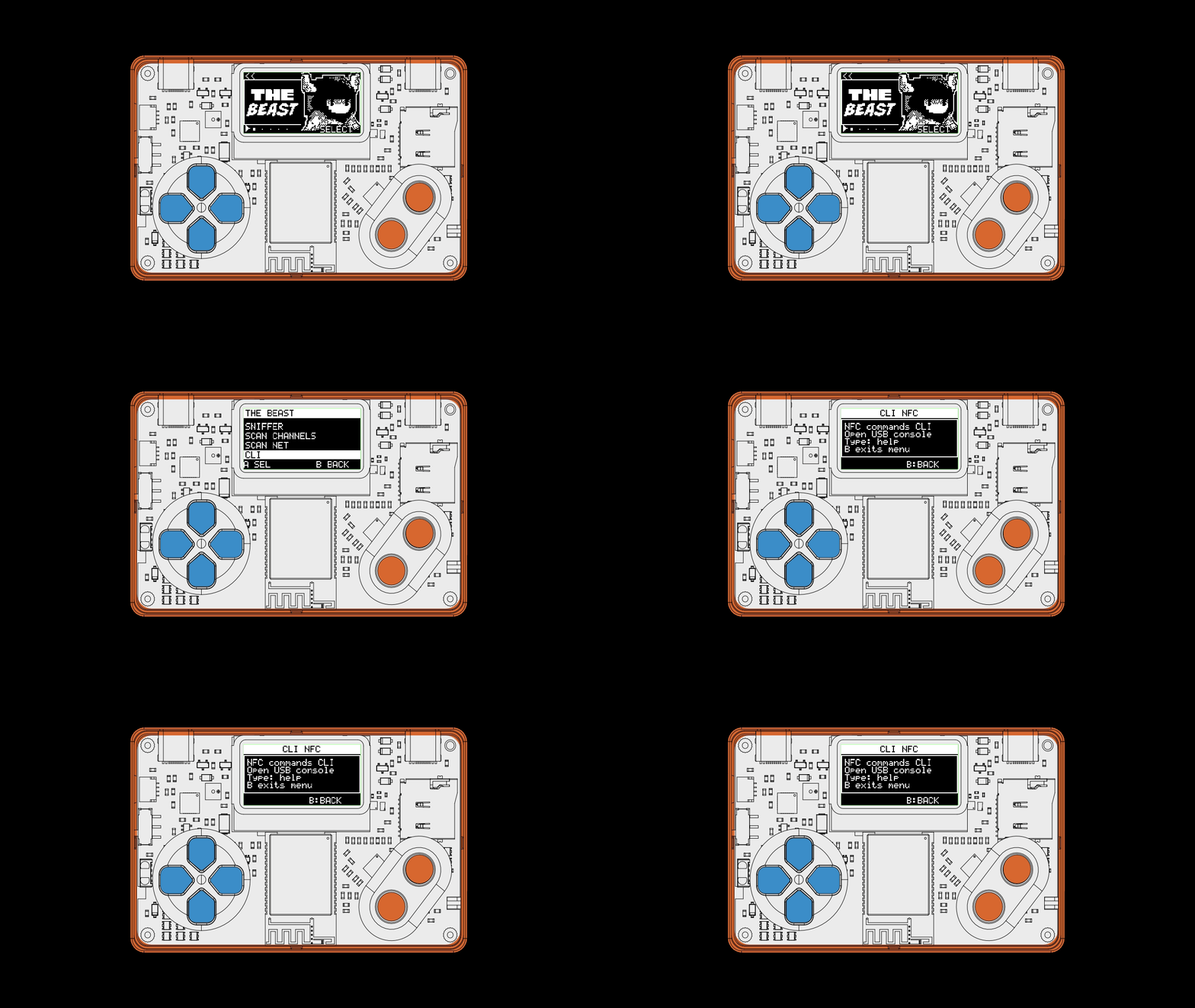
Use the embedded NFC CLI and run the sequence in order:
nfc-core-stop
nfc-core-start
nfc-tech-set-a
nfc-card-connect
nfc-reader-verbose-set 1
nfc-card-send 00 A4 04 00 07 D2 76 00 00 85 01 01 00Real example
poom> nfc-core-stop

poom> nfc-core-start
  NFC: initialized

poom> nfc-tech-set-a
NFC tech selected: NFC-A

poom> nfc-card-connect
  [TX] REQA (26)
  [RX] ATQA: 04 00
  [TX] 93 20
  [RX] C1 2F 8A 1E 7A
  [TX] 93 70 C1 2F 8A 1E 7A
  [RX] 20
  [TX] E0 00
  [RX] 0D 78 00 70 02 53 4C 4A 26 31 23 02 01
  ISO/IEC 14443-A card detected.

poom> nfc-reader-verbose-set 1
nfc-reader-verbose-set: on

poom> nfc-card-send 00 A4 04 00 07 D2 76 00 00 85 01 01 00
  [TX] 0A 00 00 A4 04 00 07 D2 76 00 00 85 01 01 00
  [RX] 0A 00 6A 82
R-APDU: 6A 82
Reading the output
Step 1 - POOM sends a command
The bytes after nfc-card-send are our command:
C-APDU = 00 A4 04 00 07 D2 76 00 00 85 01 01 00Step 2 - POOM transports it
With verbose output enabled, we see additional ISO-DEP transport bytes:
[TX] 0A 00 00 A4 04 00 07 D2 76 00 00 85 01 01 00POOM prepares the transport; we do not need to construct every internal block manually.
Step 3 - The card responds
[RX] 0A 00 6A 82
R-APDU: 6A 82
The final line is the application response.
An error is still a response
The status 6A 82 means that the requested item was not found. That does not mean the communication failed. To return this status, the card had to:
- receive the command;
- process it;
- choose the correct response;
- send that response back to POOM.
The card is effectively saying:
"I understood your request, but what you are looking for is not here."
If you see TIMEOUT, POOM did not receive a valid response. If you see R-APDU: 6A 82, the channel is working and the command returned an application-level result.
What are SW1 and SW2?
Many APDU responses end with two status bytes:
SW1
SW2
SW means Status Word. In this example:
SW1 = 6A
SW2 = 82

Status = 6A 82
You do not need to memorize every possible status word yet. These bytes tell you how the application command finished.
Try it
Run:
nfc-card-connect
nfc-reader-verbose-set 1
nfc-card-send 00 A4 04 00 07 D2 76 00 00 85 01 01 00
Find R-APDU: in the output, then identify:
C-APDU = ?
R-APDU = ?
SW1    = ?
SW2    = ?
For the example in this lab:
C-APDU = 00 A4 04 00 07 D2 76 00 00 85 01 01 00
R-APDU = 6A 82
SW1    = 6A
SW2    = 82
What you should learn
| Stage | Question |
|---|---|
REQA / ATQA | Is there a card? |
UID / SELECT / SAK | Which card am I selecting? |
RATS / ATS | Can we use ISO-DEP? |
C-APDU / R-APDU | Can you execute this command, and what was the result? |
Before, we were preparing the communication. Now we are talking to the card at the application level.
An error response is still a valid response.