Wi-Fi Deauthentication: Detect and Protect
Build an isolated Wi-Fi lab with POOM to study deauthentication impact, detection, PMF protection, and client recovery.
 View full screen
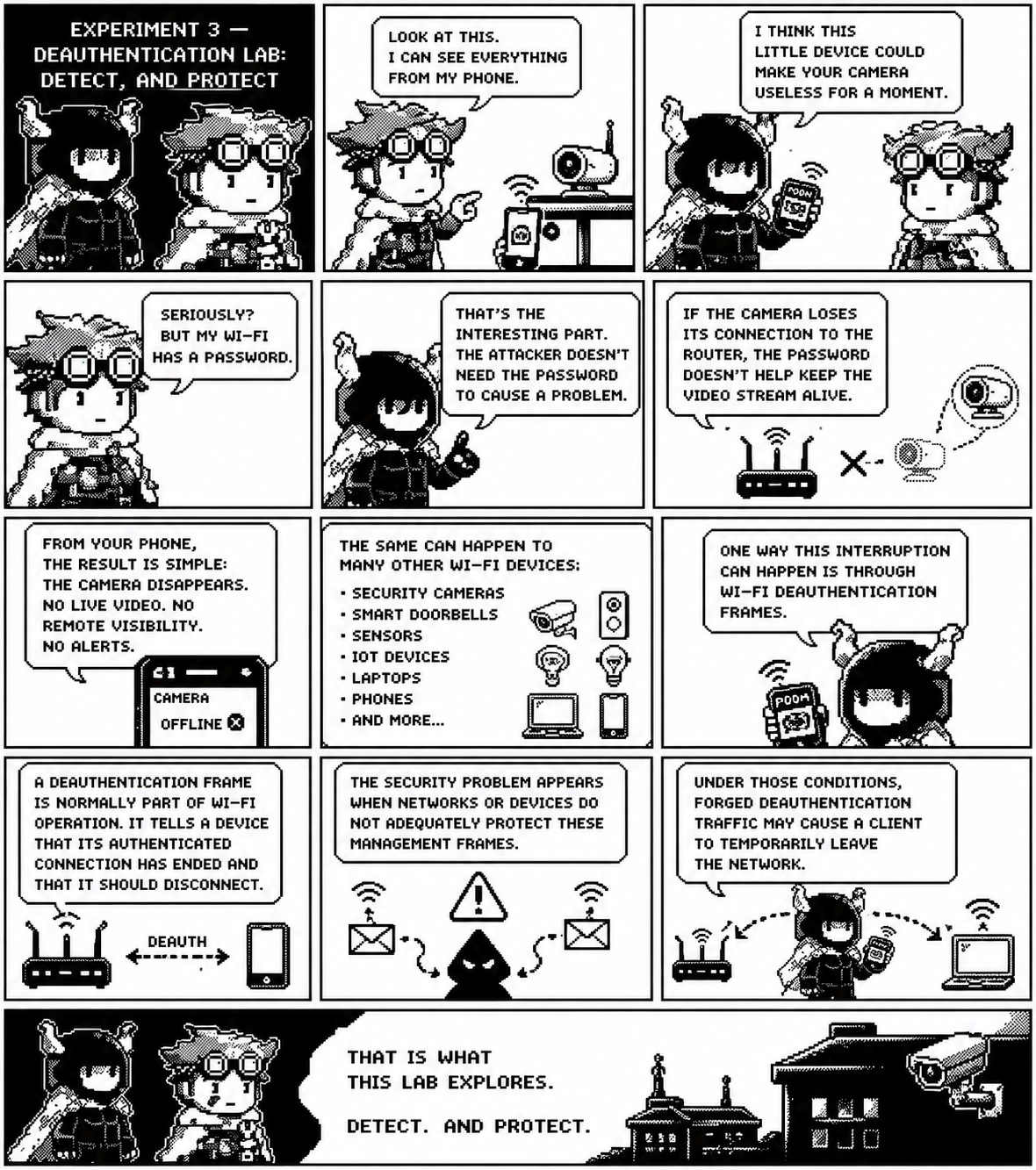
The comic shows a friend monitoring a Wi-Fi security camera from a phone. POOM explains that an attacker may interrupt a susceptible camera without knowing the Wi-Fi password: if unprotected management frames allow forged deauthentication traffic, the camera can temporarily lose its router connection, live video, remote visibility, and cloud alerts. The same availability risk applies to doorbells, sensors, IoT devices, laptops, and phones.
As THE BEAST showed, disconnecting devices can be surprisingly easy. In this lab, let's explore how to detect the attack with POOM and better protect our network.
Can we observe the attack, understand its impact, detect it from the defender's side, and determine whether the network configuration can reduce the risk?
During this experiment, POOM is used to study both sides of the problem:
Attack → Impact → Detection → Protection → Recovery
Goal
Understand how Wi-Fi deauthentication can interrupt a connected device, observe the event from the defender's perspective, compare different Protected Management Frames (PMF) configurations, and evaluate how the affected device recovers its connection.
The experiment focuses on four questions:
- What happens to a real Wi-Fi device when connectivity is interrupted?
- Can POOM detect suspicious deauthentication activity?
- How does PMF change the behavior of the network?
- How quickly does the device recover after the interruption stops?
The objective is not just to demonstrate an attack.
The objective is to understand why it works, what the user experiences, how a defender can identify it, and what can be done to reduce the risk.
What the POOM tools do
DEAUTH scans, lets you select an access point, and transmits deauthentication frames for the controlled test. This means it can disconnect susceptible devices from the selected network. DEAUTH DET takes the defender's role: it monitors the air for an unusual rate of deauthentication frames and raises an alert. Starting either tool is not proof that a client was affected; the client and detector provide the observable result.
The technique causes a temporary denial of service (DoS). It does not reveal the Wi-Fi password, decrypt traffic, or grant access to the client.
Build an isolated test network
Use a spare access point or hotspot with no third-party clients. Do not use a production home network when family members, safety equipment, or unrelated IoT devices depend on it.
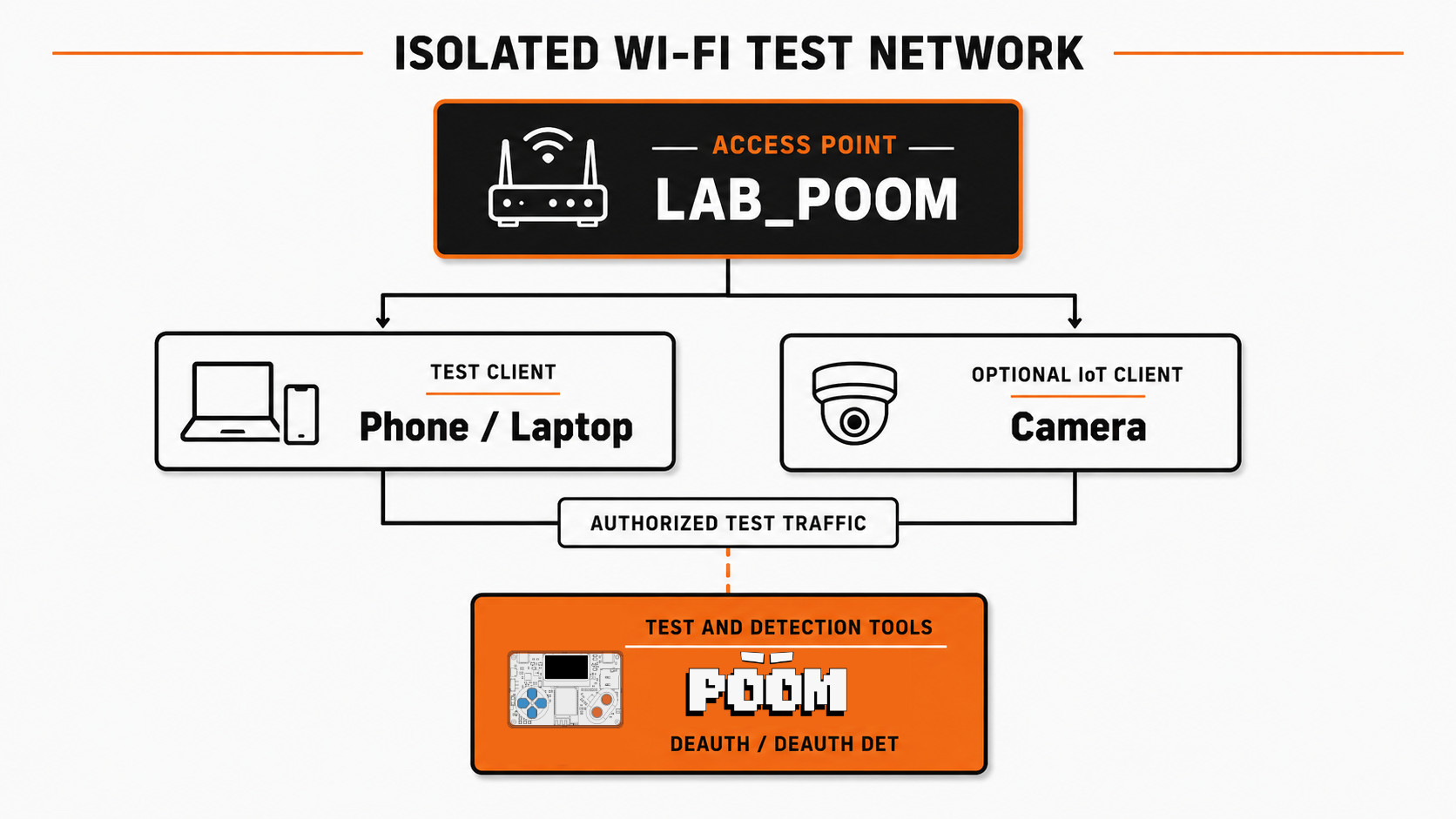
You need:
- one POOM for DEAUTH;
- optionally, a second POOM or authorized capture tool for DEAUTH DET;
- a spare access point or hotspot whose security and PMF policy you control;
- a spare phone or laptop;
- optionally, your own non-critical Wi-Fi camera or IoT device;
- a timer and results table.
Before transmitting, record the test SSID, BSSID, channel, security mode, PMF policy, client name, and whether the client has local storage. Confirm that no unauthorized device is associated.
Run the baseline and detection test
- Configure the isolated access point with the first PMF mode you want to test and connect the phone, camera, or IoT client.
- Confirm normal connectivity. For a camera, start live view and verify whether local recording is enabled.
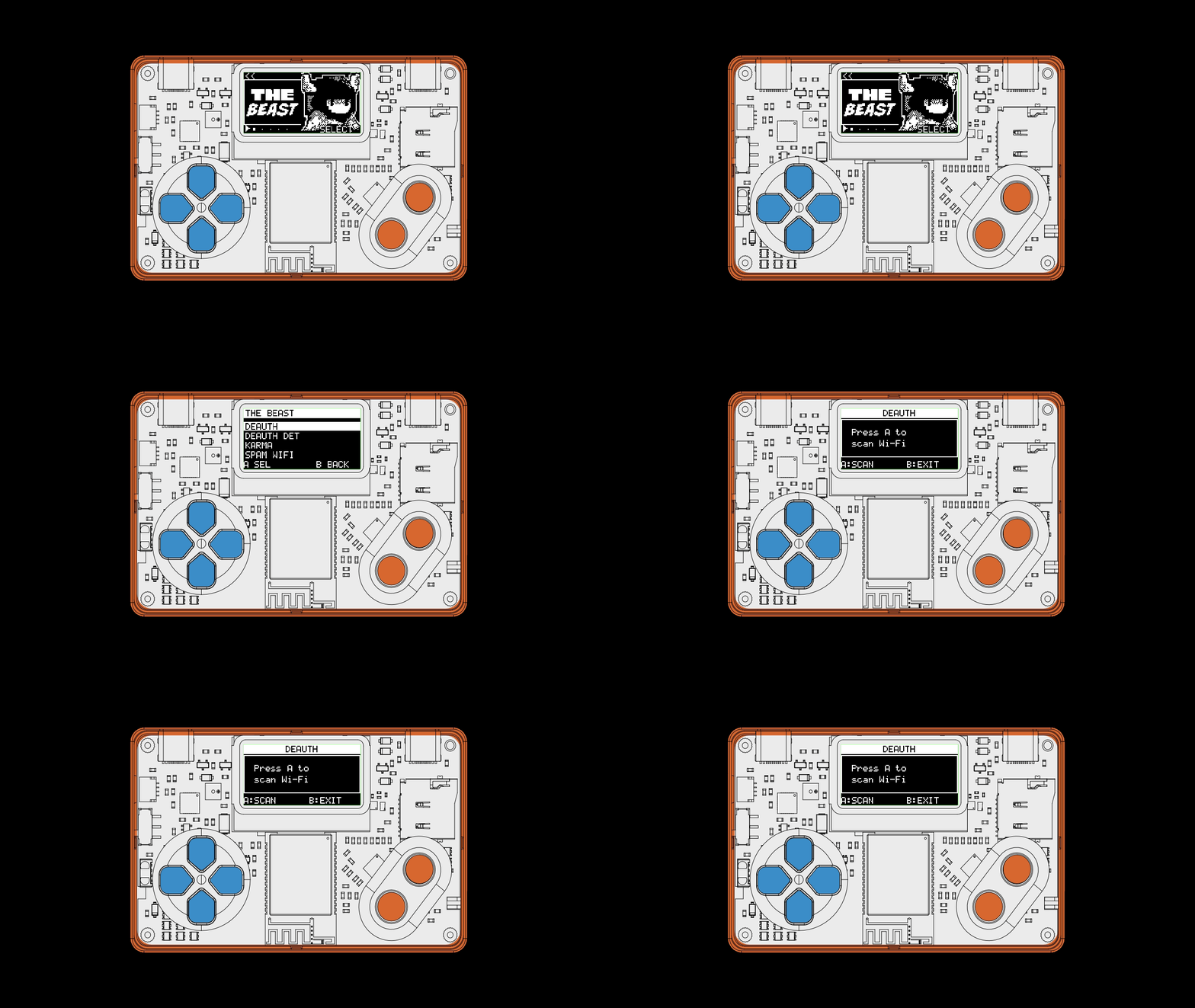
- On the defender unit, open THE BEAST → DEAUTH DET → A.
- On the transmitting unit, open THE BEAST → DEAUTH → A, wait for the scan, and select only your recorded test BSSID.
- Start the test and timer together. Watch the client and detector instead of treating POOM's running state as success.
- After one clear result—or a short fixed window with no effect—press B to stop.
- Record whether the client disconnected, whether DEAUTH DET alerted, recovery time, and application impact.
| Client | Security / PMF | Disconnected? | Recovery | Application impact |
|---|---|---|---|---|
| Spare phone | Record mode | Record result | Record seconds | Ping or app state |
| Owned camera / IoT | Record mode | Record result | Record seconds | Video, events, or local data |
Correct band, channel, BSSID, range, addressing, client behavior, firmware support, and the PMF mode negotiated by that client all influence the result. No disconnect is a valid finding; identify the protection or compatibility condition instead of increasing the duration blindly.
Repeat with Protected Management Frames
PMF—Protected Management Frames, originally introduced by IEEE 802.11w and now incorporated into IEEE 802.11, protects robust management traffic including deauthentication and disassociation. It adds cryptographic integrity protection so an associated client can reject a forged, unprotected teardown frame.
- Stop POOM and let every client reconnect.
- Change the test access point to PMF Required.
- Reconnect the same client. If it cannot join, record that compatibility result.
- Repeat the same BSSID, test window, distance, and observation method.
- Press B to stop and compare the results.
A correctly protected client should reject the forged frame and maintain its association. POOM may still transmit, and DEAUTH DET may still observe the frames in the air; the important result is how the client reacts.
WPA2, WPA3, and PMF
- WPA2 can use PMF. Support and policy depend on the access point and client.
- WPA3 mandates PMF. A properly established WPA3 connection protects robust management frames.
- PMF Optional is negotiated per client. It does not guarantee that every device on the SSID uses PMF.
- Transition modes can produce mixed results. Clients on one WPA2/WPA3 SSID may negotiate different security paths.
Robust management frames are not protected.
Protection is negotiated separately with each client.
Every associated client must use protected management frames.
Camera and IoT resilience
The IoT lesson is not only whether Wi-Fi disconnects. Measure what the system continues to do while its wireless link is unavailable:
- Does live video stop, freeze, or recover automatically?
- Does the camera or sensor appear
offlinein its application? - How long does reconnection take after POOM stops?
- Does local storage continue recording or logging?
- Are events buffered and uploaded later, or permanently missed?
- Does the system alert the owner that connectivity was lost?
A resilient design may combine PMF, WPA3 where supported, local storage, buffered events, connectivity-loss alerts, wired backhaul, or an alternate communication path. A security device should not assume that Wi-Fi will always remain available.
Stop and restore the lab
- Press B and confirm POOM is no longer transmitting.
- Restore the access point to its intended security policy—prefer PMF Required and WPA3 when every required client supports them.
- Reconnect each client and verify normal local, internet, cloud, event, and recording behavior.
- Remove the temporary SSID or power down the isolated access point.
- Keep only the measurements you need; do not retain unrelated wireless identifiers or captures.
The pairing is the lesson: the same observable protocol behavior that permits temporary disruption is what DEAUTH DET watches for, while PMF addresses the forged-frame weakness. Continue with the detection and PMF sections in this Beast experiment to practice hardening.
Technical reference: Espressif's ESP32-C5 Wi-Fi Security guide documents PMF modes and the WPA3 requirement.