NFC RATS, ATS, and ISO-DEP
Connect POOM to a compatible NFC Type A tag and study the RATS and ATS exchange that establishes ISO-DEP communication.
Now the most interesting part begins. In the first labs, POOM found a card, obtained its UID, and selected it. Those steps explain how an NFC conversation starts.
Now we want to do more than ask:
"Is there a card?"
or:
"Which card is it?"
We want to start talking to it. First, we will see how a compatible card enters ISO-DEP. That prepares a channel for exchanging application data.
- Find the card.
- Select it.
- Prepare the communication channel.
- Send a command.
- Receive a response.
Lab 4.1 - RATS, ATS, and ISO-DEP
Selecting a card does not yet mean that we can send application commands. The new question is:
"I selected you. Can we start a more complete conversation?"
Three new names appear:
RATS
ATS
ISO-DEP
Goal
Understand:
- what happens after
SELECTandSAK; - what
RATSandATSmean; - what ISO-DEP is used for;
- why this step is needed before sending APDUs.
What is ISO-DEP?
Until now, POOM was finding and selecting a card. ISO-DEP prepares communication that can carry commands and responses from a higher layer.
For this lab, think of ISO-DEP as:
the channel POOM prepares so it can talk to applications inside a compatible card.
Not every NFC card uses ISO-DEP, so POOM first needs to determine whether the selected card supports this next step.
What are RATS and ATS?
RATS means:
Request for Answer To SelectPOOM sends it after selecting a compatible card. For this lab, read it as:
"I selected you. Can we continue using ISO-DEP?"
In a real capture, it appears as:
[TX] E0 00The byte E0 identifies the RATS command. The second byte carries negotiation parameters that we do not need to decode yet.
If the card accepts, it responds with ATS:
Answer To SelectFor this lab, read ATS as:
"Yes. We can continue, and these are my communication parameters."
A real card may return:
[RX] 0D 78 00 70 02 53 4C 4A 26 31 23 02 01You do not need to interpret every byte yet. The important point is that the card answered RATS and communication can continue over ISO-DEP.
Let's go to the lab
- On POOM, open THE BEAST from the main menu, then select CLI.
- Place POOM on top of a compatible NFC Type A tag. The antenna is on the back, so the tag goes underneath POOM.
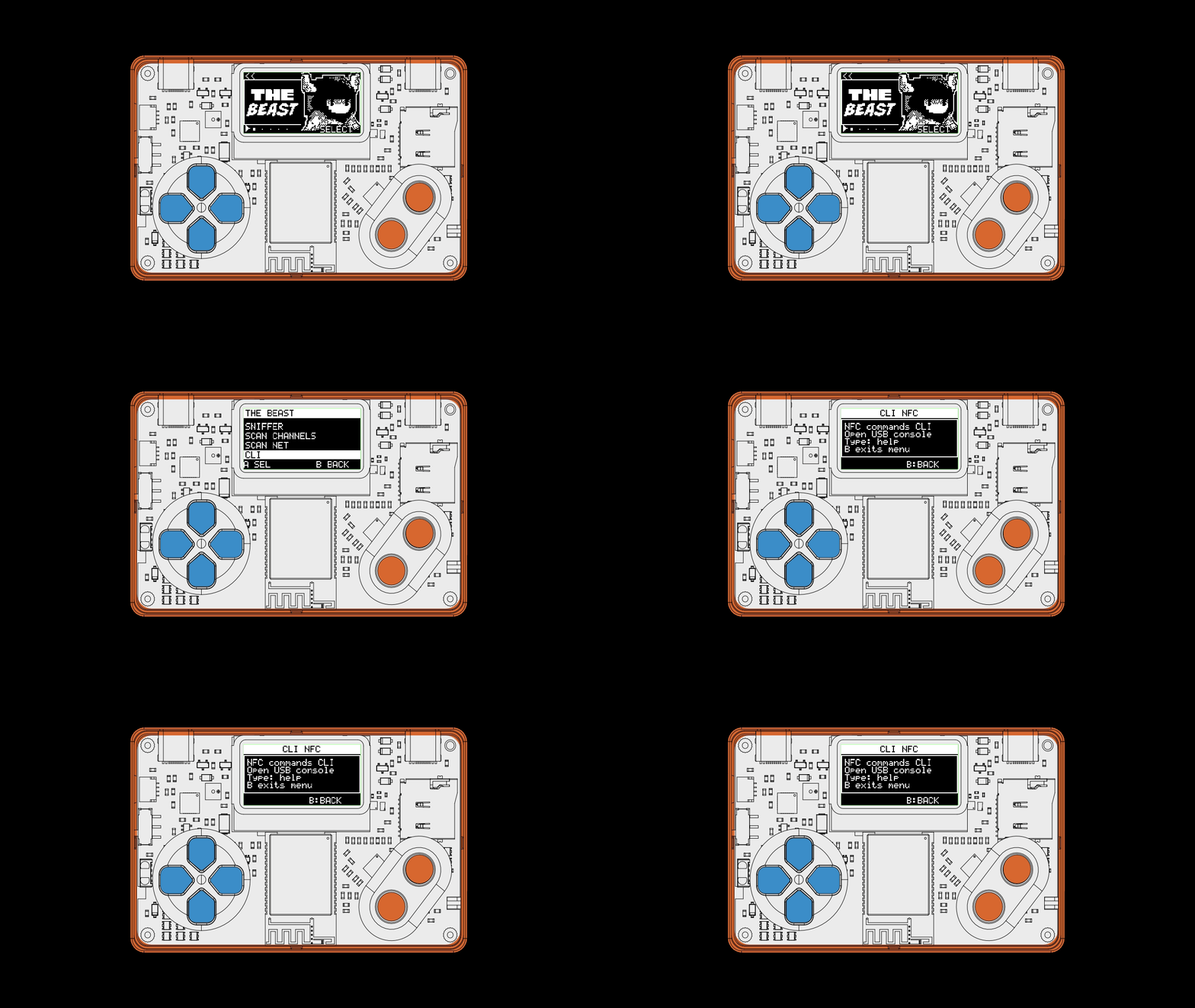
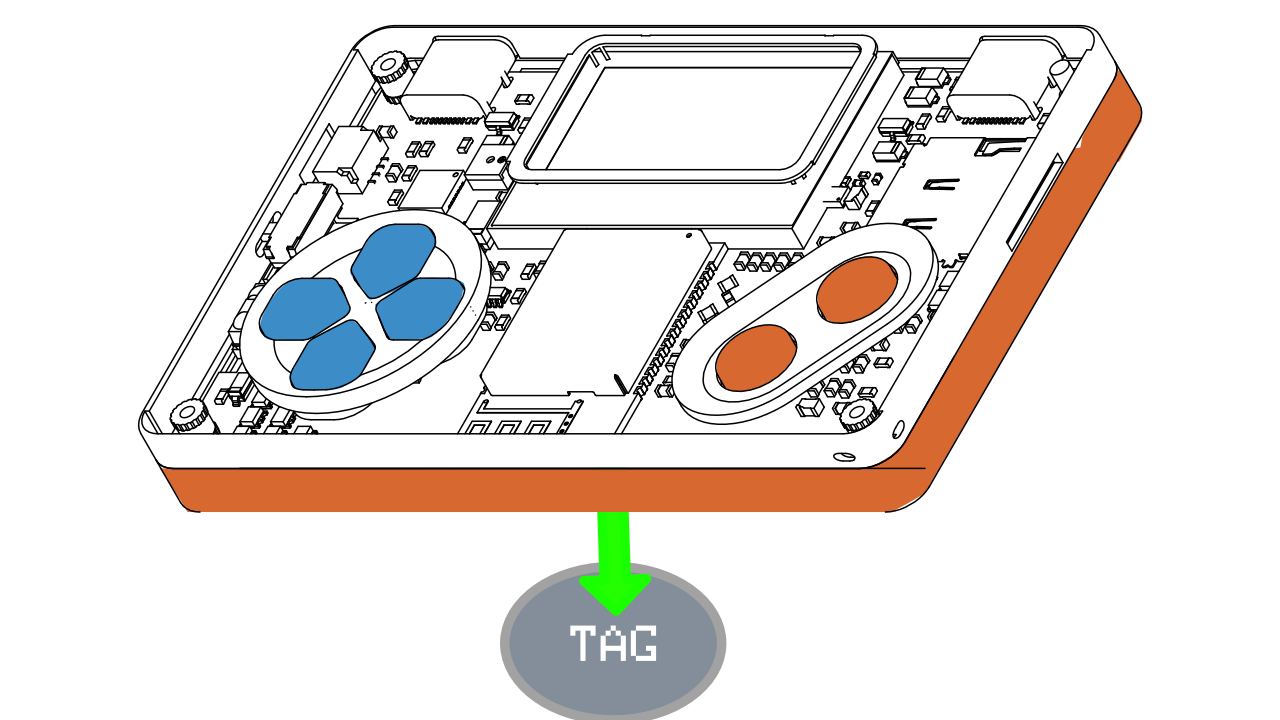
Use the embedded NFC CLI and run these commands in order:
nfc-core-start
nfc-tech-set-a
nfc-card-connectReal example
poom> nfc-card-connect
  [TX] REQA (26)
  [RX] ATQA: 04 00
  [TX] 93 20
  [RX] C1 2F 8A 1E 7A
  [TX] 93 70 C1 2F 8A 1E 7A
  [RX] 20
  [TX] E0 00
  [RX] 0D 78 00 70 02 53 4C 4A 26 31 23 02 01
  ISO/IEC 14443-A card detected.
The first lines show the familiar REQA, ATQA, Anticollision, and SELECT flow. The new exchange is:
[TX] E0 00
[RX] 0D 78 00 70 02 53 4C 4A 26 31 23 02 01
POOM sends RATS, and the card returns its ATS. In plain language:
POOM: "Can we continue using ISO-DEP?"
Card: "Yes. We can continue."
What you should learn
| Stage | What happens |
|---|---|
REQA / ATQA | POOM discovers that a card is present. |
UID / SELECT / SAK | POOM selects that card. |
RATS / ATS | POOM prepares ISO-DEP communication. |
Now the path is ready for the next step: sending a real application command to the card.